How to get more Google reviews for your business in India
By the Eco Biznfc team, Airoli, Navi Mumbai · Updated 15 November 2026 · 8 min read
Most happy customers will leave you a Google review. They just won't do it unless you ask at the right moment and make it take seconds. This guide shows the simple system we set up for shops, clinics, salons and cafés in Navi Mumbai, and what Google doesn't allow, so your reviews stay on your profile.
Why Google reviews matter
- More people choose you. On Google Maps, customers compare star ratings and the number of reviews before they call or visit.
- You show up more often. Reviews are one of the signals Google uses for local results, together with how relevant and how close you are.
- You learn what to fix. Reviews tell you what customers love and what annoys them, in their own words.
Step 1: Get your direct review link
Open your Google Business Profile while signed in to the Google account that manages it, choose Ask for reviews (or Get more reviews) and copy the short link. It usually starts with g.page/r/. This link opens the review box straight away, so customers don't have to search for your business first. Every other step in this guide uses this one link.
Step 2: Ask at the right moment
Ask when the customer is happiest, not days later. For example:
- Salons and spas: when they see the finished look in the mirror.
- Clinics and opticians: after a good consultation, or when they collect their glasses.
- Cafés and restaurants: when you bring the bill and they say they enjoyed the meal.
- Shops and showrooms: at the counter, right after payment.
A simple, honest line works best: “If you were happy with us today, a Google review really helps a small business like ours. It takes ten seconds.”
Step 3: Make it one tap, right there
The biggest drop-off happens when customers say “I'll do it later”. Put the review link where they already are, so they can do it before they leave:
- A QR code at the counter, on tables or on the bill. You can make one free with our Google review QR code generator.
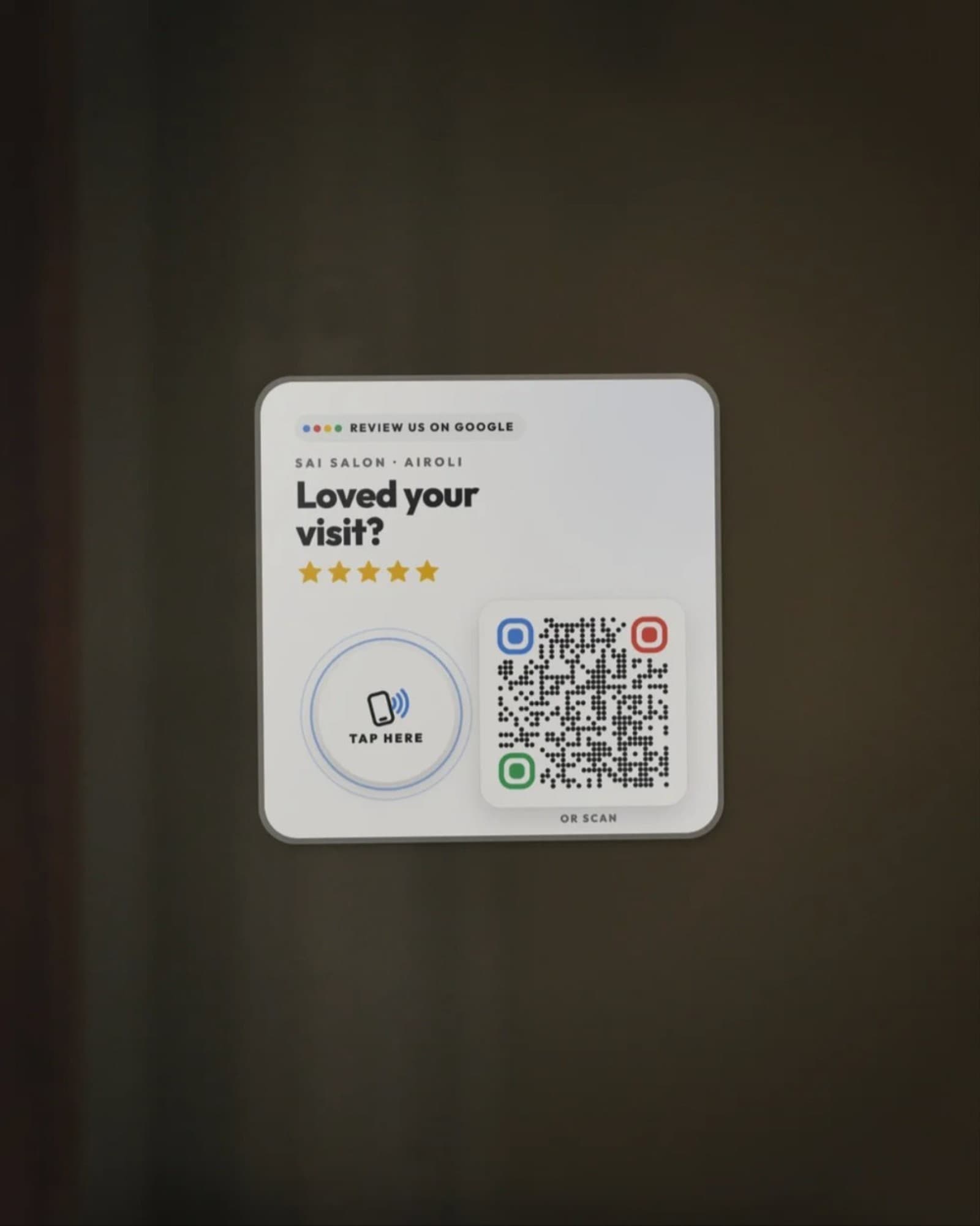
- An NFC review card or stand. Customers just tap their phone on it and the review box opens, with a QR code as backup for phones without NFC. Our EcoTap Google review card starts at ₹399, made in Airoli with free delivery across India.
Step 4: Follow up on WhatsApp
For customers who leave without reviewing, one polite WhatsApp message the same day works well. Keep it short and send it only once. For example:
Hi Priya, thank you for visiting us today! If you were happy with your visit, could you share a quick Google review? It really helps us. [your g.page/r/ link]
(Not happy with something? Just reply here and we'll sort it out.)
Send the same message to every customer. Asking only the ones you think are happy is called review gating, and Google doesn't allow it.
Step 5: Make it part of the routine
- Tell your staff when to ask and what to say, and keep the card or QR where they can point to it.
- Put the link on your bills, delivery slips, email signature and WhatsApp Business auto-reply.
- Check your review count every week. A steady few each week beats a sudden burst.
Step 6: Reply to every review
Thank people by name for good reviews and mention what they liked. For negative reviews, reply calmly within a day or two, apologise for the experience, and offer to fix it offline. People reading your profile notice how you handle problems.
What Google doesn't allow
- Offering discounts, freebies or lucky draws in exchange for reviews.
- Asking only happy customers (review gating).
- Buying reviews, or writing reviews for your own business or for competitors.
- Asking staff, friends or family to post reviews as if they were customers.
Reviews that break these rules can be removed, and repeated problems can put your Business Profile at risk.
A real example from Airoli
Shweta Opticians in Airoli placed one review stand at their counter and asked customers after eye tests and purchases. In 60 days their Google reviews grew from 12 to more than 80, and their rating rose from 3.8 to 4.7. Read the case study.
Quick checklist
- Copy your g.page/r/ review link from Google Business Profile.
- Ask every customer at the happiest moment, with one simple line.
- Put a QR code or NFC review card where they pay or wait.
- Send one polite WhatsApp follow-up the same day.
- Reply to every review, good or bad.
- Never offer rewards, and never ask only happy customers.
Questions
Is it allowed to ask customers for Google reviews?+
Yes. Google encourages businesses to ask customers for reviews. What it doesn't allow is offering anything in return for a review, asking only happy customers (review gating), or writing reviews for yourself or competitors.
Can I give a discount for a Google review?+
No. Google's policy doesn't allow incentives for reviews, such as discounts, free items or entries into a draw. Reviews given for a reward can be removed, and repeated violations can affect your Business Profile.
How do I get my Google review link?+
Open your Google Business Profile while signed in, choose 'Ask for reviews' or 'Get more reviews', and copy the short link Google gives you (it usually starts with g.page/r/). That link opens the review box directly.
Does the number of reviews help my Google Maps ranking?+
Reviews are one of the signals Google uses for local results, alongside relevance and distance. A steady flow of recent reviews, and your replies to them, also makes more people click on your listing.
Should I reply to negative reviews?+
Yes. Reply calmly and quickly, thank them for the feedback, and offer to sort it out offline. Future customers read your replies, and a fair response to a bad review often builds more trust than another five-star rating.
Make reviews one tap away
EcoTap NFC + QR review cards and stands, made in Airoli. Change the link any time and see how many people tap.
See EcoTap review cards